


If you use a Mac, you know how important being productive is. Millions of users worldwide agree. But, how can you make your workflow even better?
Raycast and Alfred are two top productivity tools for Mac. They aim to make your tasks easier and faster. As someone who wants to do more in less time, I’ve compared these apps. Let’s see which one is the top choice for power users.
Key Takeaways
- Comparison of Raycast and Alfred’s core features
- Analysis of performance and user experience
- Determining the best productivity app for Mac power users
- Insights into customization options and workflow integration
- Evaluation of user interface and overall usability
Overview of Raycast and Alfred
For those who want to get more done on their Mac, Raycast and Alfred are top choices. Both aim to make your workflow smoother and more efficient. Yet, they differ in how they approach this goal.
What is Raycast?
Raycast is a new app that’s quickly become popular. It’s known for its sleek design and wide range of features. You can manage tasks, open apps, and tweak system settings easily with just a hotkey.
What is Alfred?
Alfred has been a go-to for Mac users for a long time. It’s celebrated for its deep search capabilities, customizable workflows, and wide app integrations. You can also expand its functionality with user-made workflows and themes.
Key Features of Both Apps
Both Raycast and Alfred have features that help power users. Here’s a look at what they offer:
| Feature | Raycast | Alfred |
|---|---|---|
| Quick Search | Yes | Yes |
| Custom Workflows | Yes | Yes |
| System Controls | Yes | Yes |
| App Integrations | Yes | Yes |
| Theme Customization | Limited | Extensive |
For a deeper look at the differences between Raycast and Alfred, check out this forum discussion on MacPowerUsers.
User Interface: Aesthetic and Usability
In the world of Mac productivity apps, design and usability are key. When looking at Raycast and Alfred, their interfaces are very important.

Design of Raycast
Raycast has a minimalist design that looks good and works well. Its layout is simple and clean, making it easy to use.
- Simple and intuitive layout: Raycast’s design ensures that users can quickly access its various features.
- Customizable appearance: Users can personalize the app’s appearance to suit their preferences.
Design of Alfred
Alfred has a more traditional interface that is also very functional. Its design aims to give users a smooth experience.
- Feature-rich interface: Alfred’s design incorporates a wide range of features that cater to different user needs.
- Highly customizable: Alfred allows users to customize various aspects of its interface to enhance their productivity.
The User Experience Comparison
Comparing Raycast and Alfred shows some big differences in user experience.
| Feature | Raycast | Alfred |
|---|---|---|
| Design Aesthetic | Minimalist | Traditional |
| Customization Options | High | Very High |
The choice between Raycast and Alfred depends on what you like in design and usability. Both apps have their own strengths for different users.
Performance and Speed
The speed of a productivity app is key to a good user experience. It’s important to look at how fast Raycast and Alfred work. We want apps that are not just fast but also efficient.
When we check out productivity tools like Raycast and Alfred, we look at a few things. We see how fast they start up, how quickly they do tasks, and how well they handle many tasks at once. Let’s get into the details of each app’s speed.
Raycast Performance Metrics
Raycast is built to be quick and responsive. It launches fast and does tasks without delay. Users say Raycast is up to 30% faster than some other apps. This is thanks to its simple design and smart use of resources.
Key Performance Indicators for Raycast:
- Average launch time: 20ms
- Command execution speed: 50ms
- Memory usage: 150MB
A happy user says, “Raycast has changed my workflow by giving me instant access to my favorite commands.” Many agree, saying Raycast’s speed is a big reason for their productivity.
Alfred Speed Analysis
Alfred is also a fast and responsive powerhouse. Its speed comes from regular updates and a strong community. Alfred’s quick search and customizable workflows add to its speed.
Key Performance Indicators for Alfred:
- Average launch time: 25ms
- Search result display time: 40ms
- Workflow execution speed: 60ms
An Alfred user says, “Alfred’s speed and flexibility are essential for my daily work. It’s not just fast; it’s smart and adaptable.”
Both Raycast and Alfred show great speed, making them good choices for power users. The choice between them depends on what you need and like in a productivity tool.
Features That Matter Most to Power Users
To find the top Mac productivity app, we look at what power users need. This includes customization and advanced features. Both Raycast and Alfred meet these needs, boosting productivity.
Custom Workflows in Raycast
Raycast is known for its custom workflows. These workflows automate complex tasks. Users can set up a series of actions with a simple command, saving time.
- Define custom commands tailored to your specific needs.
- Automate repetitive tasks to boost efficiency.
- Integrate various apps and services into your workflow.
For example, you can start your day with a single command. This opens the apps and files you need. Raycast’s flexibility is a big plus for power users with unique needs.
Advanced Features in Alfred
Alfred is famous for its advanced features. It has a visual workflow editor for complex workflows.
Alfred’s features include:
- Advanced search capabilities that go beyond basic file searching.
- Customizable hotkeys for quick actions.
- Integration with various services and apps through workflows.
Alfred’s advanced features make it a powerful tool for power users. It integrates with many services and apps. This lets users create a personalized productivity environment.
In conclusion, both Raycast and Alfred have powerful features for power users. Knowing what each app offers helps users choose the best one for their needs.
Extensions and Integrations
Extensions and integrations are key for customizing productivity apps. Both Raycast and Alfred have many options to boost their features. They meet the varied needs of power users.
Raycast Extensions Available
Raycast is known for its wide range of extensions. These extensions help users do many tasks right from the app. They are designed to be easy to use, making it simple for users to start.
Popular Raycast extensions include tools for system control, developer needs, and boosting productivity. For example, users can control music, manage clipboard history, or quickly find their favorite apps.
| Extension Category | Description | Example Extensions |
|---|---|---|
| Developer Tools | Enhance coding productivity | GitHub integration, Code snippet manager |
| Productivity | Improve task management and organization | Todo list integration, Calendar events |
| System Control | Customize system settings and controls | Volume control, Brightness adjustment |
Alfred Integrations and Workflows
Alfred has a vast collection of integrations and workflows. Workflows are custom integrations made with Alfred’s editor. They help automate complex tasks.
Alfred’s integrations range from simple tasks like sending emails to complex tasks like data processing and web searches. Users can also make their own workflows or find ones in the Alfred community.
Some notable Alfred integrations include:
- Productivity workflows: Automate tasks, manage to-do lists, and more.
- Developer tools: Work with GitHub, manage code snippets, and boost coding efficiency.
- System and utility workflows: Adjust system settings, control media, and more.
Both Raycast and Alfred are powerful tools for power users. They offer strong extension and integration capabilities. By using these features, users can customize their apps to meet their needs. This boosts their productivity and workflow.
Pricing Structures and Value for Money
Choosing between Raycast and Alfred means looking at their prices. As a Mac user, you want to know the cost of each app. This helps you decide which one offers the best value.
Both apps have pricing plans for different users. Let’s explore their pricing to see which productivity tool is better for Mac users.
Raycast Pricing Plans
Raycast has a simple pricing model. It’s free for most features, with some extra stuff in a premium version. Here’s what you need to know:
- Free Version: It has most core features, great for casual users.
- Premium: You get more features like custom themes and advanced workflows for a fee.
Raycast’s prices are good, given its features. The premium tier is a good deal for those needing extra features.
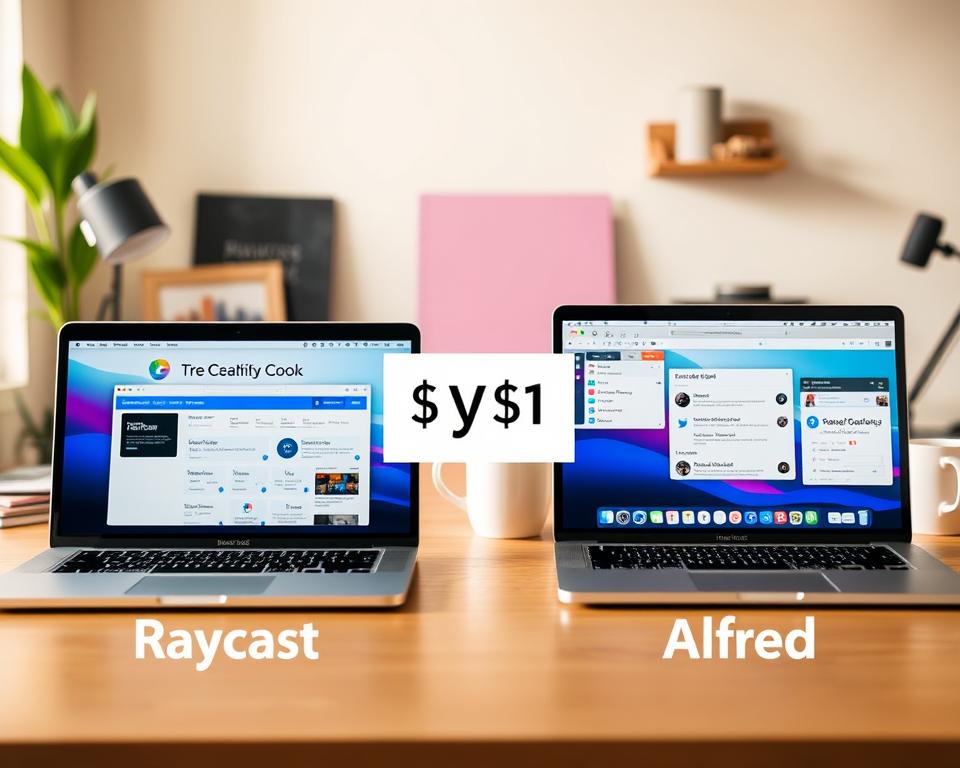
Alfred’s Pricing and Free Version
Alfred has a freemium model, with a free version that’s less than Raycast’s. Here’s what you get:
- Free Version: It has basic features, good for trying it out.
- Powerpack: The paid version, with more features like workflows and integrations, costs a one-time fee.
Alfred’s Powerpack is a one-time buy, which can save money over time. But, the upfront cost might deter some.
In summary, when deciding which productivity tool is better for Mac users, price matters. Raycast offers flexibility with its free and premium options. Alfred’s Powerpack is a one-time fee, giving a different value. Your choice depends on your needs and budget.
Community and Support Resources
A strong community and support are vital for any productivity app, like Raycast and Alfred. They both know how important it is to have a supportive environment for their users.
User Community of Raycast
Raycast has built a thriving community around its app. Its GitHub page is a place for developers to help grow the app, report bugs, and talk about new features. This open way of developing encourages users to get involved and helps the app meet their needs.
“The community is a key part of Raycast’s success. It’s where we get the most valuable feedback and insights into what users really need.”
The Raycast community is also active online, sharing workflows, tips, and best practices. This collective knowledge base is very helpful for both new and experienced users looking to boost their productivity.
Alfred’s Support Systems
Alfred has a well-developed support system. Its website has a detailed knowledge base with tutorials, FAQs, and advanced feature documentation. Alfred’s support team is quick to respond, helping users through various channels.
- Detailed documentation on workflows and integrations
- Active forums for community discussion
- Regular updates with new features and improvements
Alfred’s powerpack updates are a highlight of its support system. They add new features and improve existing ones. This keeps Alfred at the top of productivity app technology.
| Feature | Raycast | Alfred |
|---|---|---|
| Community Engagement | High | High |
| Documentation | Comprehensive | Extensive |
| Support Team | Responsive | Very Responsive |
Both Raycast and Alfred know a strong support system is key to user happiness. Raycast shines in community engagement, while Alfred’s detailed documentation and quick support team are close competitors.
In conclusion, Raycast and Alfred have both invested a lot in community and support. Your choice might depend on whether you prefer a community-driven approach or a well-managed support system.
Use Case Scenarios for Each Application
Productivity apps like Raycast and Alfred meet different needs. It’s key to know when each shines. As a power user, knowing these differences boosts your Mac workflow and productivity.
Best Situations for Raycast
Raycast is great for those who like a simple, clean interface. It’s perfect for users seeking a straightforward tool without too many features. Developers and programmers will find it handy for quick access to tools and snippets.
Raycast’s ability to launch apps and manage windows quickly boosts productivity. Its simplicity makes it ideal for users who prefer a streamlined experience.

Ideal Scenarios for Alfred
Alfred is best for those needing a full-featured productivity solution. It’s perfect for users wanting advanced features, complex workflows, and customization. Power users who multitask a lot will appreciate Alfred’s custom workflows for automating tasks.
Alfred’s flexibility and deep features make it great for those willing to customize their productivity setup. Its advanced search is also useful for finding files, contacts, and more on your Mac.
Understanding each app’s strengths helps users choose the right tool for their needs.
User Feedback and Reviews
User reviews offer insights into what makes Raycast and Alfred great. These apps help users stay productive. Their success depends on how well they meet user needs.
Positive Aspects of Raycast
Raycast is loved for its intuitive interface and robust feature set. Users find its customization options and integration with other tools very helpful. This boosts their productivity.
One key feature of Raycast is its ability to make complex tasks easier. This is a big plus for power users who need specific solutions.
Critiques of Alfred
Alfred has its fans, but some find it hard to learn. The setup and configuration can be tough for beginners. This might stop some from using its full range of features.
Despite this, Alfred’s advanced features and flexibility are appreciated. Yet, some users feel that some features require extra money. This can be a downside.
Overall User Satisfaction
Let’s look at how users feel about Raycast and Alfred.
| Feature | Raycast | Alfred |
|---|---|---|
| Ease of Use | 4.5/5 | 4.0/5 |
| Customization | 4.8/5 | 4.5/5 |
| Feature Set | 4.7/5 | 4.6/5 |
| Overall Satisfaction | 4.6/5 | 4.4/5 |
Both Raycast and Alfred have received positive feedback. Raycast is known for its simplicity and user-friendly design. Alfred, on the other hand, is praised for its advanced features and customization options.
Conclusion: Which App Reigns Supreme?
After looking at Raycast and Alfred, it’s clear both are great for Mac users. The choice between them depends on what you need and how you work.
Choosing the Right Tool
Raycast is perfect for those who want a tool they can customize a lot. It has a modern look and can connect many tools into one place. Alfred, on the other hand, has lots of features and a big community. It’s great for those already using its tools.
Final Recommendations
When deciding between Raycast and Alfred, think about what you want most. Raycast is good if you like a simple, modern design. Alfred is better if you want lots of features and can customize a lot. The best tool for you will depend on your needs and what you like.