



Did you know teams using the right tools can be 30% more productive? Choosing the best project management software can be tough. I’m looking at ClickUp and Monday, two top choices.
In this article, I’ll compare ClickUp and Monday to help you pick the best for your team. We’ll look at their features, strengths, and weaknesses. This will help you make a smart choice.
Key Takeaways
- Understand the key features of ClickUp and Monday
- Compare their strengths and weaknesses
- Learn how to choose the best project management software for your team
- Discover the benefits of using the right collaboration tool
- Get insights into making an informed decision
Overview of Team Collaboration Tools
Teams are now spread out more than ever. This makes it critical to have strong team collaboration platforms. Knowing how to work together is key.
Team collaboration means working together towards a goal. It uses everyone’s skills and knowledge. In today’s work, projects are complex and involve many people.
Definition of Team Collaboration
Team collaboration creates a space where everyone can share ideas and work together well. It’s about communication, coordination, and cooperation to reach a goal.
In a team that works together, everyone can share their skills and give feedback. This helps in making better decisions, being more productive, and being creative.
Importance of Effective Collaboration Tools
Good team productivity tools are essential for teamwork. They offer a place for talking, managing tasks, and sharing files. This makes teamwork easier.
Using the right tools helps teams work better, avoid mistakes, and be more productive. These tools also help teams keep track of progress, set deadlines, and make informed decisions.
Introduction to ClickUp
ClickUp is a versatile project management tool that teams of all sizes love. It has a wide range of features to boost productivity and make workflows smoother.

Key Features of ClickUp
ClickUp shines with its task management capability. It lets users easily create, assign, and track tasks. This keeps projects on track. Plus, it has customization options for teams to fit the tool to their needs.
ClickUp also offers:
- Time tracking and reporting
- Collaboration tools, such as chat and file sharing
- Gantt charts and calendar views for project visualization
Advantages of Using ClickUp
Using ClickUp comes with many benefits. Its flexibility makes it great for various industries and team sizes. It can handle small projects or big initiatives.
Another big plus is ClickUp’s ability to integrate with other tools and services. This lets teams create a smooth workflow with their current software. For more on how ClickUp stacks up against other tools, check out this comparison on Monday.com.
Introduction to Monday.com
Monday.com is a top choice for teams looking to manage projects and track progress. It’s known for its wide range of features that meet different team needs. This makes it a standout in the project management software world.
Unique Features of Monday.com
Monday.com shines with its workflow automation. This lets teams automate tasks and focus on important projects. It also has reporting capabilities that give insights into project progress. This helps teams make better decisions.
- Customizable workflows to suit specific team requirements
- Advanced reporting features for project tracking and analysis
- Integration with various third-party apps for enhanced functionality
Benefits of Monday.com for Users
Using Monday.com boosts team collaboration and productivity. It offers a central place for managing projects. This helps teams work together better and reach their goals more effectively.
Some key benefits of Monday.com are:
- Improved team collaboration through a centralized platform
- Increased productivity by automating routine tasks
- Enhanced visibility into project progress through advanced reporting
With these features and benefits, teams can work more efficiently. They can reach their goals using Monday.com.
Comparing User Interfaces of ClickUp and Monday
ClickUp and Monday.com have unique user interfaces. These interfaces are key to how users experience and work with the tools. They impact productivity greatly.
ClickUp’s User Experience
ClickUp’s interface is highly customizable. Users can make their workspace fit their needs. It has many templates and views, like lists, boards, and calendars.
Key Features of ClickUp’s User Experience:
- Customizable dashboards
- Multiple task views
- Integrated goal setting
A ClickUp user said, “The flexibility in ClickUp’s interface has greatly boosted our team’s productivity.” Many users love personalizing their workflow.
“The flexibility in ClickUp’s interface has significantly improved our team’s productivity.”
Monday.com’s Interface Design
Monday.com is known for its intuitive and attractive interface. It uses a board-based system that’s easy to use. This makes it perfect for teams that like a visual approach to managing tasks.
Monday.com’s Interface Highlights:
| Feature | Description |
|---|---|
| Visual Boards | Uses a board-based system for task management |
| Customizable Columns | Allows users to customize columns according to their workflow |
| Automations | Enables automations to streamline repetitive tasks |
In conclusion, ClickUp and Monday.com have strong user interfaces. ClickUp is great for customization and versatility. Monday.com is known for its intuitive and visual design.
Task Management Capabilities
ClickUp and Monday.com have different ways to manage tasks. They help teams work well together. Both tools have features to keep projects on track.
ClickUp’s Task Management
ClickUp is known for its flexible task system. It lets users make tasks, assign them, and track progress. Task assignment is easy with ClickUp’s simple design.
Task tracking is made easy with ClickUp’s views. Teams can see tasks in lists, boards, or calendars. This helps teams work better and stay focused.
Monday.com’s Task Management
Monday.com is great at automation and prioritization. It lets teams make workflows that fit their needs. Monday.com’s automation makes tasks easier, saving time and effort.
It also helps teams set priorities with priority levels and due dates. This keeps everyone on the same page, helping teams meet deadlines.
In summary, ClickUp and Monday.com are both strong in task management. ClickUp is good at flexibility and tracking. Monday.com is better at automation and setting priorities. The right choice depends on what the team needs.
Integrations and Compatibility
Choosing a project management platform means looking at integrations. ClickUp and Monday.com both have many integrations. These help teams work better and make workflows smoother.
ClickUp’s Integration Capabilities
ClickUp has a lot of integrations with big names like Google Drive, Slack, and Trello. These integrations help teams keep all their work in one place. This means less time switching between apps.
Key Integrations with ClickUp:
- Google Drive for cloud storage
- Slack for team communication
- Trello for Kanban boards
- Zoom for video conferencing

Monday.com’s Compatibility with Other Tools
Monday.com also has many integrations, including with CRM systems and marketing tools. This lets teams customize their workflows to fit their needs.
| Integration | Description | Benefit |
|---|---|---|
| CRM Integration | Syncs customer data | Enhanced customer insights |
| Marketing Automation | Automates marketing tasks | Increased efficiency |
| Email Integrations | Manages email communications | Streamlined communication |
In summary, both ClickUp and Monday.com have strong integration options. These can really boost team productivity. By knowing what your team needs, you can pick the best platform for your workflow.
Customization and Flexibility
Customization and flexibility are key for a good collaboration tool. Being able to adjust a tool to fit your needs boosts productivity and satisfaction.
Customization Options in ClickUp
ClickUp has many customization options. Teams can make their workspace their own. The customizable dashboards let users see their tasks and projects in a way that works for them.
ClickUp’s workflows can also be tailored for each project. This makes managing complex tasks easier and helps teams work together better.
Custom workflows in ClickUp help teams automate tasks and set up dependencies. They can also create custom statuses. This customization makes ClickUp a great tool for any team.
Flexibility of Monday.com Workflows
Monday.com is known for its flexible workflows. Users can change their workflows as their team’s needs change. This keeps the tool useful even when projects get more complicated.
Monday.com’s workflows are also flexible because they can integrate with many other tools. This lets teams create workflows that meet their current and future needs. It makes Monday.com a very versatile tool.
ClickUp and Monday.com offer customization and flexibility. This lets teams make their tools fit their needs. This boosts productivity and efficiency.
Pricing Structures for ClickUp and Monday
Choosing a project management tool affects your budget. Let’s look at ClickUp and Monday.com’s prices. Knowing the costs helps you pick the right tool for your team.
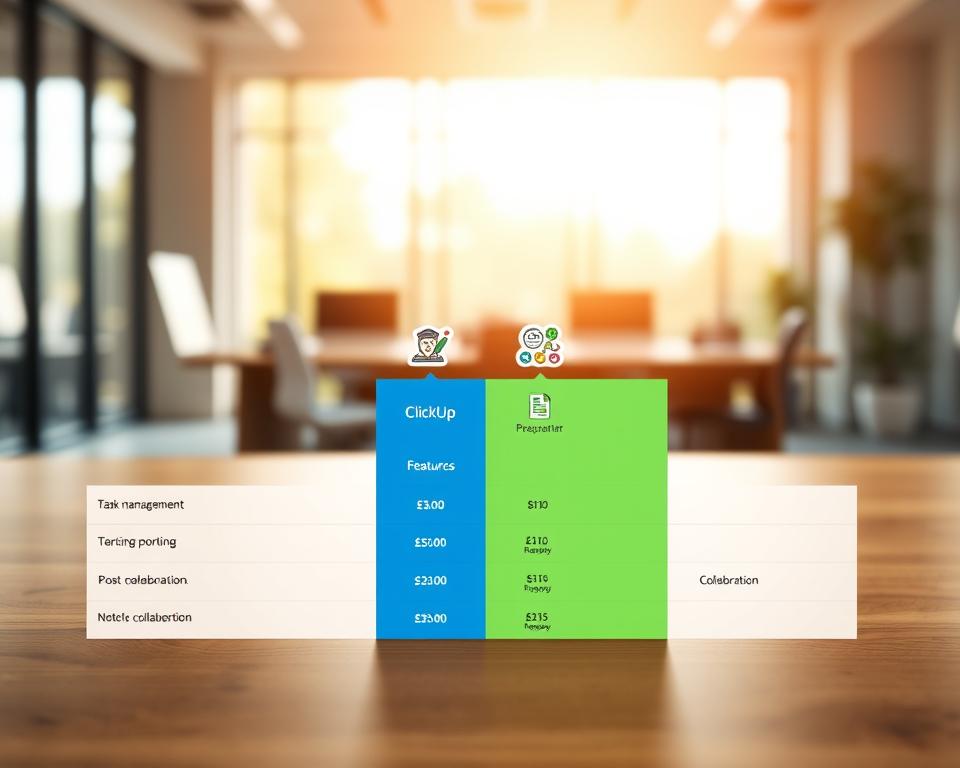
Cost of ClickUp Plans
ClickUp has a pricing model for all team sizes. It has a free plan for small teams or startups. For more features, there are paid plans:
- Unlimited: $5 per member per month, billed annually, with extra features.
- Business: $12 per member per month, billed annually, with custom roles and time tracking.
- Enterprise: Custom pricing for big teams needing extra security and support.
For the latest prices, visit ClickUp’s official pricing page.
Monday.com Pricing Insights
Monday.com has tiered pricing for different team sizes. Their plans are:
- Basic: $8 per seat per month, billed annually, for small teams.
- Standard: $10 per seat per month, billed annually, with timeline and calendar views.
- Pro: $16 per seat per month, billed annually, with time tracking and automations.
- Enterprise: Custom pricing for big teams, with advanced security and support.
Monday.com’s prices increase with more users. Check their pricing page for detailed info.
Both ClickUp and Monday.com have good prices. Your choice depends on your needs and budget. For a detailed comparison, see this ClickUp vs Monday.com analysis.
Conclusion: Choosing the Right Tool for Your Team
Choosing the best project management tool is key for team success. ClickUp and Monday.com both have unique strengths. The right choice depends on your team’s specific needs and workflows.
Key Considerations
When choosing between ClickUp and Monday.com, think about your team’s size and project complexity. If you need a customizable platform with advanced task management, ClickUp might be best. For a user-friendly interface with strong team communication tools, Monday.com is a good option.
Final Recommendations
I suggest testing both platforms to see which fits your team’s workflow. This will help you pick the tool that meets your project management needs. The right tool can improve collaboration, streamline processes, and lead to project success.