

Did you know that organized social media managers are 30% more likely to hit their marketing targets? As a social media manager, it’s key to have a smooth content planning process. This helps keep your content consistent and engaging on different platforms.
I know how vital a well-thought-out content calendar is for your workflow and online presence. In this article, I’ll show you how to create a content calendar that fits your needs.
Key Takeaways
- Simplify your workflow with a streamlined content calendar
- Improve consistency and engagement across social media platforms
- Boost your online presence with effective content planning
- Learn how to plan, organize, and schedule your social media content effectively
- Discover the benefits of a well-planned content calendar for social media managers
Understanding the Importance of a Content Calendar
A content calendar is more than a scheduling tool. It’s a strategic plan for social media managers. It helps keep content consistent and engaging. This boosts your online presence and meets marketing goals.
A content calendar acts as a roadmap for your social media content. It makes sure your messages are clear and fit your marketing strategy. It keeps you organized, reduces stress, and boosts content performance.
Benefits for Social Media Managers
For social media managers, a content calendar is essential. It helps plan and organize content ahead of time. This avoids last-minute rushes. You can plan and schedule content around key events and dates, making your messages timely and relevant.
It also makes teamwork better. With a content calendar, everyone can see the plan. This reduces confusion and miscommunication.
Enhancing Consistency and Engagement
Consistency is vital for a strong online presence. A content calendar ensures your social media content is posted regularly. This keeps your audience engaged and interested in your brand.
By scheduling content in advance, you maintain a consistent tone and style. This is important for all your social media platforms.
Also, a content calendar lets you analyze and adjust your content strategy based on performance data. You can see what works and what doesn’t. This helps you make better decisions for future content. It leads to better engagement and a stronger connection with your audience.
Using a social media strategy calendar and social media management software makes your content calendar more effective. These tools help plan, schedule, and track your content. They make it easier to reach your social media goals.
Key Components of a Social Media Content Calendar
Creating a good social media content calendar needs several key parts. A well-organized digital content calendar helps you plan and schedule posts on different social media sites.
First, know the types of content for your calendar. This includes promotional posts, educational content, engaging stories, and fun stuff like polls and quizzes.
Content Types to Include
It’s important to mix up your content to keep people interested. Here are some ideas:
- Promotional posts about new products or services
- Educational content like tutorials, tips, or news
- Engaging stories or content from users
- Interactive content like polls, quizzes, or contests
Using a social media content calendar template helps plan and organize your content. It lets you see your strategy over time and make changes when needed.
Essential Dates and Events
Adding important dates and events to your calendar is key. This includes holidays, industry events, product launches, or awareness days.
| Date/Event | Content Type | Platform |
|---|---|---|
| New Year’s Day | Promotional Post | Facebook, Instagram |
| Product Launch | Educational Content | Twitter, LinkedIn |
| World Environment Day | Engaging Story | Instagram, TikTok |
By adding these elements to your digital content calendar, you can have a strong and engaging social media presence. This will connect well with your audience.
Choosing the Right Tools for Your Calendar
Finding the right content calendar tool can really boost your social media game. There are many tools out there, each with its own set of features. It’s important to look at what each tool offers to pick the best one for you.
Popular Content Calendar Software
Many content calendar tools are popular among social media managers. Hootsuite and Sprout Social are known for their strong features and ease of use. They help manage social media well.
Buffer and Trello also stand out. They have unique features like customizable boards and scheduling. When choosing, think about the tool’s user interface, customer support, and how it can grow with you.
| Tool | Key Features | Pricing |
|---|---|---|
| Hootsuite | Social media scheduling, analytics, team collaboration | Starts at $19/month |
| Sprout Social | All-in-one social media management, customer service tools | Starts at $99/month |
| Buffer | Social media scheduling, analytics, content optimization | Starts at $15/month |
| Trello | Project management, customizable boards, team collaboration | Free plan available, paid plans start at $12.50/month |
Features to Look for in a Tool
When picking a content calendar tool, think about what you need for your social media plan. Customization options and integration with other platforms are important.
Look for tools that have:
- Flexible scheduling to fit different time zones and audience patterns.
- Analytics and reports to see how you’re doing and make changes.
- Easy-to-use interfaces for creating and managing content.
- Tools for teamwork to help everyone work together smoothly.
By looking at these features and the popular tools, you can find the best one for your social media management. This will help support your content strategy.
Developing a Content Strategy
Starting a social media content calendar needs a solid content strategy. This strategy is the base of your social media work. It makes sure your content is interesting, fits together well, and meets your business goals.
To make a strong content strategy, focus on two key things. First, set clear goals and objectives. Second, do deep research on your audience to learn what they like.
Setting Goals and Objectives
First, define your goals clearly. They should be specific, measurable, achievable, relevant, and timely (SMART). For example, you might want to get 20% more followers in three months or see a 50% increase in engagement in a year. Having clear goals helps you make content that meets these targets.
For more tips on setting goals, check out content strategy guides.
Audience Research and Insights
Knowing your audience is key to a good content strategy. Research your followers to learn about their demographics, likes, and behaviors. Use social media tools, surveys, and feedback to get this info. This helps you make content that your audience will find interesting and engaging.
Here’s how you can organize what you learn about your audience:
| Audience Segment | Preferred Content Type | Engagement Rate |
|---|---|---|
| Young Adults (18-24) | Videos, Memes | High |
| Adults (25-44) | Informative Posts, Stories | Medium |
| Professionals (45+) | Industry News, Analysis | Low |
By knowing your audience and setting clear goals, you can make a social media editorial calendar that works well. This approach makes planning your content easier and better. It boosts your social media content planning efforts.

Creating and Organizing Content Ideas
Creating a successful social media content calendar starts with a solid plan for ideas. It’s not just about coming up with ideas. It’s about organizing them in a way that fits your strategy and speaks to your audience.
Let’s look at some brainstorming techniques for great content ideas. Mind mapping and SCAMPER are great tools. Mind mapping lets you see your ideas visually, starting with a main idea and adding more.
Brainstorming Techniques
Brainstorming is key for a strong content calendar. SCAMPER helps you change old ideas into new ones. For example, you can turn a blog post into a video or social media posts.
- Mind mapping to visually organize ideas
- SCAMPER to adapt and modify existing ideas
- Free writing to generate ideas without judgment
Content Pillars to Guide Your Planning
After brainstorming, organize your ideas with content pillars. These are main themes that match your brand and appeal to your audience. Focusing on a few pillars keeps your content consistent and clear.
| Content Pillar | Example Content Ideas | Social Media Channels |
|---|---|---|
| Product Updates | New feature announcements, product demos, customer testimonials | Twitter, Facebook, Instagram |
| Industry Insights | Market trends, industry news, thought leadership pieces | LinkedIn, Twitter, Facebook |
| Educational Content | How-to guides, tutorials, webinars | YouTube, LinkedIn, Facebook |
Organizing your content around pillars makes your digital content calendar both strategic and flexible. It lets you keep up with trends and audience needs while staying true to your brand.
Scheduling Your Posts Effectively
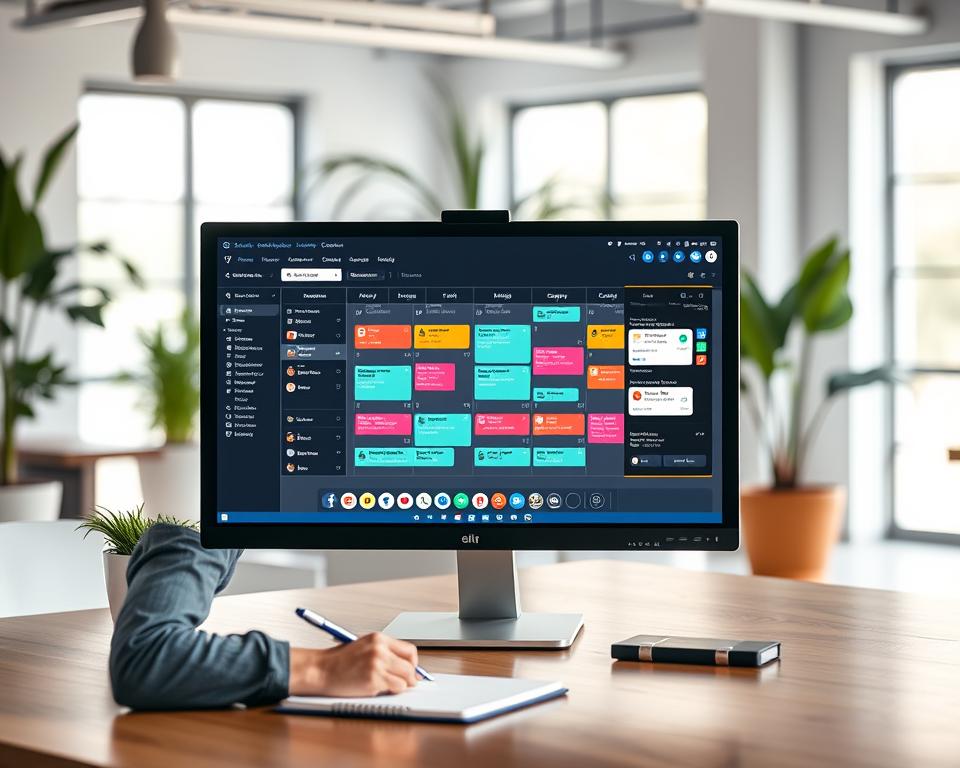
To make the most of your online presence, scheduling your social media posts is key. It’s important to post at the right time to boost engagement and visibility.
Optimal Posting Times
Knowing when to post is essential. Different people are online at different times. Social media scheduling tools can help find the best times to post. For example, posting during busy hours can increase engagement.
- Analyze your audience’s time zone and schedule posts according.
- Use analytics tools to determine when your audience is most active.
- Experiment with different posting times to find what works best for your content.
Social media management software can automate your posting schedule. This saves time and ensures consistency. You can then focus on creating great content.
Understanding Different Platforms’ Algorithms
Each social media platform has its own algorithm. Knowing these algorithms is vital for scheduling. For instance, Facebook’s algorithm favors posts from friends over business pages.
Here are some key points to consider:
- Facebook: Prioritizes content that sparks meaningful interactions.
- Instagram: Favors posts with high engagement in the first few hours.
- Twitter: Uses a chronological timeline, but engagement is important.
Adjusting your content calendar to each platform’s algorithm can boost your posts’ visibility. The right social media scheduling tools can help you optimize your strategy.
Collaborating with Your Team
Working together is key to making your social media calendar work better. It’s important to know who does what to avoid confusion and extra work.
Roles and Responsibilities
Each team member should know their job and when it’s due. Here are some main roles:
- Content Creator: They make the content for the calendar.
- Editor: They check and fix the content to fit the brand.
- Scheduler: They plan when to post using content planning tools for social media.
- Analyst: They watch how the content does and suggest ways to get better.
With these roles, teams can work better together. This makes sure everything on the calendar gets done.
Feedback and Revisions Process
Having a good way to give feedback and make changes is key for quality content. Here’s how to do it:
- Initial Review: The content creator shares it with the team for first thoughts.
- Revisions: They change it based on what the team said.
- Final Approval: The team or manager checks it again and says it’s okay.
This way, the content is not just good but also fits the plan and goals. Using a social media content calendar template helps by showing what’s coming and when.
By following these steps, teams can work better together. This leads to a more united and successful social media calendar.
Tracking Performance and Analyzing Results
To see how well your social media strategy calendar works, you need to track and analyze results often. This helps you know what’s good and what needs work. It lets you make smart choices to boost your social media presence.
Key Metrics to Measure Success
When checking if your social media content calendar is doing well, look at a few important metrics. These are:
- Engagement rates: Likes, comments, shares, and reactions on your posts.
- Website traffic: The number of visitors directed to your website from social media platforms.
- Conversion rates: The percentage of visitors who complete a desired action, such as making a purchase or signing up for a newsletter.
- Follower growth rate: The rate at which your follower count is increasing or decreasing.
A report by Sprout Social says tracking these metrics is key. It helps you see how your social media efforts are doing. By watching these metrics, you can spot trends and patterns in your data. This helps you improve your content strategy.
| Metric | Description | Importance |
|---|---|---|
| Engagement Rate | Measures how actively your audience interacts with your content. | High |
| Website Traffic | Tracks the number of visitors directed to your site from social media. | Medium |
| Conversion Rate | Monitors the percentage of visitors who complete a desired action. | High |
Using Analytics to Improve Strategy
Analytics tools give you insights into your social media performance. They help you tweak your strategy for better results. By looking at your data, you can see what’s working and what’s not. This lets you make smart choices about your content calendar.
“The key to success is to focus our conscious mind on things we desire not things we fear.” This quote shows why focusing on positive outcomes is key when analyzing your social media data.
To use analytics well, do the following:
- Regularly review your performance data to find trends and patterns.
- Change your content strategy based on what you find, trying different types of content and posting times.
- Use A/B testing to see how different content variations do.
By following these steps and using analytics tools, you can keep improving your social media strategy calendar. This ensures it stays effective and meets your goals.
Adapting Your Calendar for Special Campaigns
To keep my social media content fresh, I must adapt my digital content calendar for special campaigns and seasonal events. This means being proactive and flexible in my social media content planning.
One key aspect of adapting my calendar is
Seasonal Content Planning
. I prepare content around holidays and seasonal trends to keep it relevant and engaging. For example, I plan posts for summer holidays or back-to-school season. This helps me stay on track.
Another important element is integrating trend-based content into my calendar, which falls under
Trend-Based Content Integration
. I stay updated with the latest trends and adjust my content to reflect these changes. This keeps my audience engaged and interested.
To effectively integrate trend-based content, I need to:
- Monitor trending topics and hashtags
- Adjust my content calendar to include trending content
- Use analytics tools to measure the performance of trend-based content
By adapting my digital content calendar for special campaigns and staying on top of seasonal and trend-based content, I can ensure my social media content planning remains effective and engaging.
Handling Last-Minute Changes and Emergencies
A flexible content calendar is essential for handling last-minute changes and emergencies. In the fast-paced world of social media, unexpected events or breaking news can require quick adjustments to your content strategy.
To manage these situations well, it’s important to make your calendar flexible. Look for buffer slots where you can quickly add or swap content. This way, you can respond fast to new trends or unexpected events without messing up your content plan.
Building Flexibility into Your Calendar
To make your calendar more flexible, try these strategies:
- Keep a bank of evergreen content ready to use anytime. This helps you avoid the stress of making new content on tight deadlines.
- Use content planning tools for social media that make it easy to reschedule and adjust content.
- Include buffer slots in your calendar for last-minute content or trending topics.
- Have a crisis content plan ready for sensitive or critical situations that might come up.
Communication Strategies for Quick Adjustments
Good communication is vital for making quick changes to your content calendar. When a last-minute change is needed, clear and quick communication with your team is key to keep everyone in sync.
To improve communication, consider these strategies:
- Create a dedicated communication channel for your team to talk about and agree on content changes.
- Choose social media management software that supports collaborative content planning and scheduling.
- Have regular check-ins with your team to review the content calendar and discuss any needed changes.
- Make a clear protocol for approving and making last-minute content changes.
By using these strategies in your content planning, you can keep your social media presence agile and ready for any changes.
Continuous Improvement of Your Workflow
To keep your content calendar effective, it’s key to regularly check and update your workflows. This makes sure your social media calendar stays a valuable part of your marketing plan.
Audience Insights
Getting feedback from your audience is very important. It helps you understand what they like and need. By talking to your followers and looking at their feedback, you can find ways to make your content better.
Performance Review
Learning from past results is essential. By looking at important metrics and making changes, you can make your content more appealing. This helps increase engagement with your audience.