

Did you know we send and receive over 100 emails every day? The right email client can really boost our productivity. I’ve used both Superhuman and Outlook, and I’m here to share my experience with you.
Deciding between Superhuman and Outlook can be tough without a good comparison. In this article, I’ll look at their features, prices, and how easy they are to use. This will help you choose the best one for you.
Key Takeaways
- Comparison of Superhuman and Outlook’s key features
- Analysis of user experience and interface
- Pricing plans and value for money
- Productivity features and integrations
- Security and customer support comparison
Introduction to Superhuman and Outlook
In the world of email software comparison, Superhuman and Outlook are top choices. Each has its own strengths and meets different user needs.
Let’s dive into what each offers. Superhuman is a premium email client for fast email management. It’s loved for its speed and easy-to-use design, perfect for those who want to work efficiently.
Brief Overview of Superhuman
Superhuman aims to make email management quicker and more efficient. It has cool features like undo send, read receipts, and follow-up reminders. These help users keep up with their emails.
For Outlook users, Superhuman makes a smooth transition, as shown in their blog post on Superhuman for Outlook.
Brief Overview of Outlook
Outlook is a popular email client from Microsoft. It’s known for its strong features and ties to Microsoft services. It’s a go-to for many businesses.
Outlook has a familiar look and lots of tools for organizing. It includes folders, categories, and a calendar to help manage time well.
Superhuman and Outlook each have their own benefits. Knowing these is key to choosing the right email client for you.
User Interface and Design Features
A good email client has an easy-to-use interface that looks great. This interface is key to a good email experience.
Let’s look at how Superhuman and Outlook compare in this area.
Superhuman’s Sleek Interface
Superhuman has a sleek, minimalist interface that you can customize. It’s modern and simple, making it easy to use and manage emails.
Customization options in Superhuman let you change your inbox to fit your needs.
Outlook’s Familiar Layout
Outlook has a traditional layout that many users know well. Its interface is feature-rich, with lots of tools and functions.
Even though Outlook’s design is not as new as Superhuman’s, its familiarity is a big plus for users who already know it.
Personalization Options in Both
Both Superhuman and Outlook let you personalize your email experience. Here’s how they compare:
| Feature | Superhuman | Outlook |
|---|---|---|
| Customizable Layout | Yes | Limited |
| Themes | Yes | Yes |
| Notification Preferences | Yes | Yes |
The table shows both email clients offer personalization. But Superhuman’s layout stands out more.
Email Organization and Management
Keeping your email organized is key to being productive. Superhuman and Outlook offer special features to help you manage your inbox well. Let’s see how these tools help you stay efficient with your emails.
Superhuman’s Inbox Features
Superhuman makes handling emails fast and easy. Its inbox can be tailored to fit your needs. You can sort emails into split inboxes and use snippets for quick replies. This setup is great for dealing with lots of emails.
Outlook’s Folders and Categories
Outlook takes a more traditional route with folders and categories. You can set up folders for different projects and use color labels for emails. This method is good for those who like a structured way to manage emails.
For more info on email management tools, check out this resource.
Comparing Search Capabilities
Superhuman and Outlook both have strong search features. Superhuman’s search is quick and easy to use. Outlook’s search can find emails in specific folders and categories.
| Feature | Superhuman | Outlook |
|---|---|---|
| Inbox Customization | Highly customizable with split inboxes and snippets | Uses folders and categories for organization |
| Search Capabilities | Fast and intuitive search | Powerful search with filtering options |
In conclusion, both Superhuman and Outlook are great for managing emails. Your choice depends on what you prefer for organizing your inbox and searching emails.
Speed and Performance
Speed is key in email productivity. Superhuman and Outlook focus on different aspects to help you work better. They both aim to make your daily tasks smoother.
Enhancing Speed with Superhuman
Superhuman is known for its fast email processing. It lets users quickly manage their emails. Its design and smart algorithms sort emails by importance and urgency.
Superhuman’s standout feature is automatically sorting and prioritizing emails. This is great for those with lots of emails. It makes sure you focus on the most important ones first.
Outlook’s Performance in Real-Time Scenarios
Outlook is known for its strong performance, thanks to Microsoft’s support. It handles big inboxes and tough workflows well. But, its performance can vary based on your setup and email needs.
Outlook’s speed can change based on your inbox size and how many tasks you’re doing at once. Yet, many find its familiar design and wide range of features trustworthy.
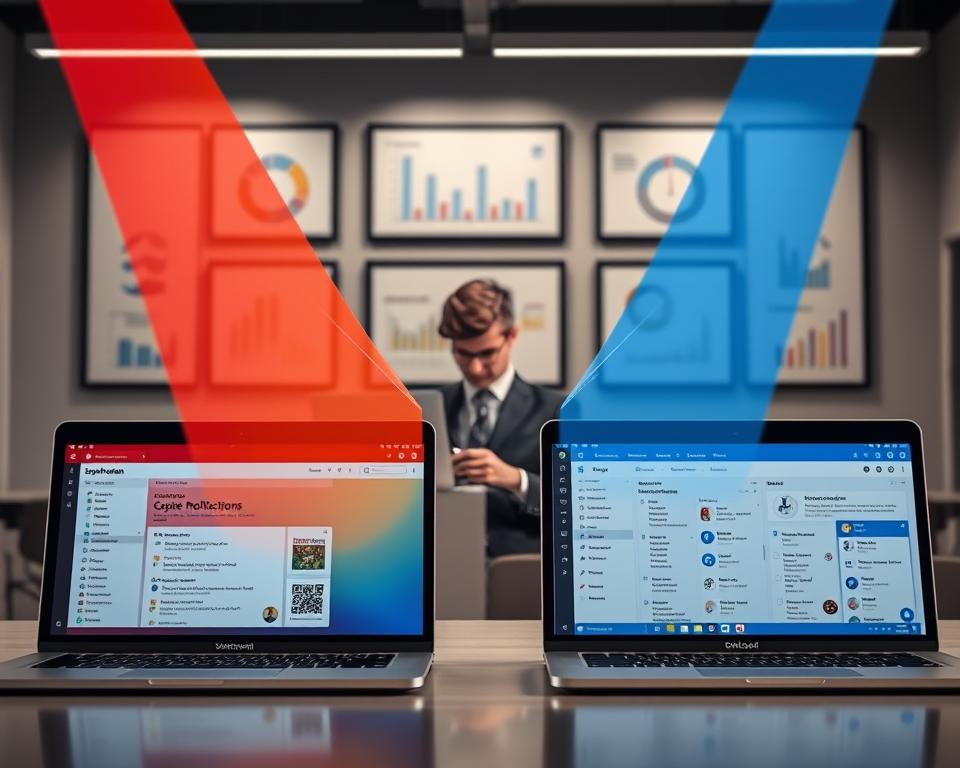
| Email Client | Speed Features | Performance in Large Inboxes |
|---|---|---|
| Superhuman | Advanced prioritization, fast processing | Excellent, even with high-volume traffic |
| Outlook | Robust integration with Microsoft services | Good, but can be affected by inbox size and complexity |
In summary, Superhuman and Outlook each bring their own strengths to the table. Superhuman is all about quick processing and smart sorting. Outlook, on the other hand, offers a solid and feature-rich experience, best in the Microsoft world.
Integration and Compatibility
In today’s fast-paced digital world, how well an email client works with other services is key. Superhuman and Outlook show different strengths and weaknesses in this area.
Superhuman’s Integrations with Other Tools
Superhuman works well with many productivity tools. It connects with:
- Google Calendar and Slack for better communication and planning
- Trello and Asana to keep tasks organized
- Other apps to make workflows smoother
These connections help users manage emails, tasks, and chats in one place. This boosts productivity.
Outlook’s Ecosystem with Microsoft Services
Outlook is part of the Microsoft family. It integrates well with Microsoft services. This includes:
- Microsoft Calendar for planning meetings
- Microsoft Tasks for managing tasks
- OneDrive for storing and sharing files
These connections make Outlook strong for those using Microsoft products. It helps create a unified workflow.
Superhuman stands out for its wide range of third-party app integrations. It’s great for users with varied needs. Outlook, on the other hand, is perfect for those deeply using Microsoft services.
In summary, your choice between Superhuman and Outlook depends on your needs and current ecosystem. Superhuman is good for those needing flexibility with many apps. Outlook is better for those already using Microsoft services.
Pricing and Value for Money
When we look at Superhuman and Outlook, their prices are key. They help us decide which email client is the best deal. The cost is a big factor in choosing an email client.
Superhuman’s Subscription Costs
Superhuman charges by subscription. It costs $30 a month if you pay monthly, or $24 if you pay yearly. You get cool features like read receipts and AI writing help.
For teams, Superhuman has a business plan. It adds team tools and support. The subscription costs are good for those wanting top-notch email tools.
Outlook’s Pricing Tiers Explained
Outlook has different prices, including a free version with Windows. The paid versions are part of Microsoft 365. The basic plan is $6.99 a month, giving you Outlook and Microsoft Office apps.
Outlook’s prices are flexible, fitting various needs and budgets. It’s a great deal for those already using Microsoft tools.
When comparing, think about the value for money. Superhuman gives a top-notch email experience. Outlook, part of Microsoft 365, offers more tools.

In summary, your choice between Superhuman and Outlook depends on your needs and budget. Superhuman is great for a focused email client. Outlook is better if you want a full productivity suite.
Customer Support and Resources
Good customer support is key for a smooth email user experience. We’ll look at what Superhuman and Outlook offer.
Both Superhuman and Outlook know how important good support is. We’ll explore their support options in detail.
Superhuman’s Support Channels
Superhuman has many ways to help users, making sure they get assistance when needed. Their team is quick to respond and very helpful.
- Live Chat: Superhuman’s live chat lets users quickly solve problems.
- Email Support: Users can also email Superhuman’s team for detailed help.
- Knowledge Base: Superhuman has a vast knowledge base covering everything from basics to advanced topics.
Outlook’s Help Resources and Community
Outlook has a wide range of help options and community forums. Microsoft’s big ecosystem offers many ways to get support.
- Microsoft Support: Outlook users can find troubleshooting guides and FAQs on Microsoft’s official support pages.
- Community Forums: Outlook’s forums are active, where users can ask questions, share tips, and get help from others.
- Help Center: Outlook’s help center is a one-stop place for detailed info on features, troubleshooting, and best practices.
To see how Superhuman and Outlook differ in support, let’s look at a comparison table.
| Feature | Superhuman | Outlook |
|---|---|---|
| Live Chat Support | Yes | No |
| Email Support | Yes | Yes |
| Knowledge Base | Comprehensive | Extensive |
| Community Forums | No | Yes |
In conclusion, both Superhuman and Outlook provide strong support. Superhuman is great for those who want quick help. Outlook is better for those who like to find answers themselves.
Unique Features of Each Email Client
Superhuman and Outlook stand out in email productivity with their unique features. Each has strengths that make them different from other email clients.
Time-Tracking in Superhuman
Superhuman’s time-tracking feature is a big deal for professionals. It lets users see how much time they spend on emails. This helps them understand how to work more efficiently.
Joshua Levy, CEO of Superhuman, says, “Time-tracking is key to better email workflow.” It helps users find ways to do their email tasks faster.
Outlook’s Calendar Integration
Outlook’s calendar integration is a standout feature. It links emails with calendar events, making scheduling meetings easy. This is great for those who work with others.
Outlook’s official site says, “Calendar integration keeps you organized and on schedule.” It lets users check their calendar right from their inbox, making time management simpler.
In conclusion, Superhuman and Outlook each offer unique features for email productivity. Superhuman is great for time-tracking, while Outlook excels in calendar integration. Knowing these features helps users choose the best email client for them.
“The right email client can make all the difference in your productivity. By choosing an email client that aligns with your workflow, you can achieve greater efficiency and reduce stress.”
User Feedback and Community Opinions
User reviews and community opinions give us a clear view of what people think about email clients like Superhuman and Outlook. They help us see how each email client works in real life.
Reviews of Superhuman
Superhuman gets positive reviews for its speed and how well it handles lots of emails. But, some say it’s hard to learn at first.
One user said, “Superhuman has really boosted my productivity. The design is sleek, and it’s easy to use once you learn it.”
“Superhuman is a game-changer for those who deal with a lot of emails. Its speed is unmatched, and the organization features are top-notch.”
Reviews of Outlook
Outlook has mixed reviews. Some like its familiar interface and lots of features. Others find it too cluttered and slow.
Many praise Outlook for how well it works with other Microsoft services. One user said, “Outlook’s integration with Microsoft Calendar is really helpful for keeping my schedule straight.”
| Email Client | User Rating (out of 5) | Common Praises | Common Complaints |
|---|---|---|---|
| Superhuman | 4.5 | Speed, Efficiency, Sleek Interface | Steep Learning Curve |
| Outlook | 3.8 | Familiar Interface, Microsoft Integration | Cluttered, Slow |
In summary, user feedback shows what Superhuman and Outlook are good at. Superhuman is fast and efficient, while Outlook works well with Microsoft services.
Conclusion: Which Email Client is Right for You?
Superhuman and Outlook both have their good points and bad points. When picking between them, think about what matters most to you. Do you want speed, lots of features, or a good price?
Assessing Your Needs
If you like a clean inbox and quick service, Superhuman might be for you. But if you’re all about the Microsoft world and need great calendar tools, Outlook is a good choice.
Making an Informed Decision
The final decision between Superhuman and Outlook depends on your needs. Look at the good and bad of each to decide. This way, you can pick the email app that fits your work style and likes best.